About this template
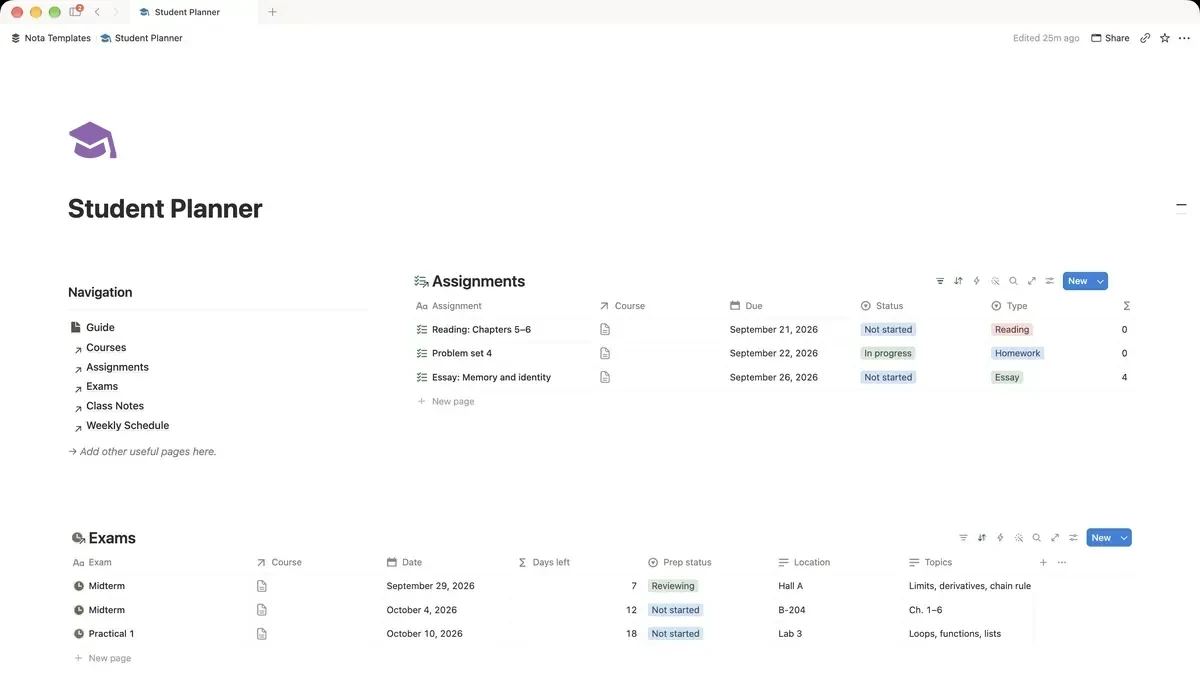
Everything a student needs in one workspace: courses, an assignment tracker with grades and weights, exam countdowns, class notes and a weekly schedule.
What's inside
- Courses, assignments, exams, notes
- Grade and weight per assignment
- Exam countdown
- Due this week view
- Open assignments per course
How it works
- 1Complete checkout and open the link in your email.
- 2Click “Duplicate” in the top-right corner of the Notion page.
- 3The template is now in your workspace. Make it yours.
Who it's for
Built for students who keep assignment deadlines in four places: the syllabus, an email, a group chat and their head. One workspace holds your courses, everything due, your exams and your notes — so the question every evening becomes what is due this week, not what am I forgetting.
Your first week
- 1Add this term's courses. Every assignment, exam and note will attach to one of them.
- 2Copy deadlines from each syllabus into Assignments. Do it once at the start of term and you will not do it again.
- 3Add exam dates. The countdown starts immediately, which is uncomfortable and useful.
- 4Check the Due this week view each Sunday. That is the only view you need most weeks.
What it doesn't do
This does not calculate your final grade for you. It records the grade and the weight of each assignment so you can see them side by side, but it will not predict a GPA — grading rules differ too much between institutions for that to be honest.
Questions
Does it work for university and high school?+
Both. The structure is courses, assignments, exams and notes, which holds either way. University students tend to use the weights; school students often ignore them.
Can I use it on my phone?+
Yes, and most students do for ticking things off. Board and table views scroll sideways on a small screen, which is normal Notion behaviour rather than a fault of the template.
What happens at the end of term?+
Duplicate the page for the new term, or delete the rows and keep the structure. Nothing is hardcoded to a particular semester.