About this template
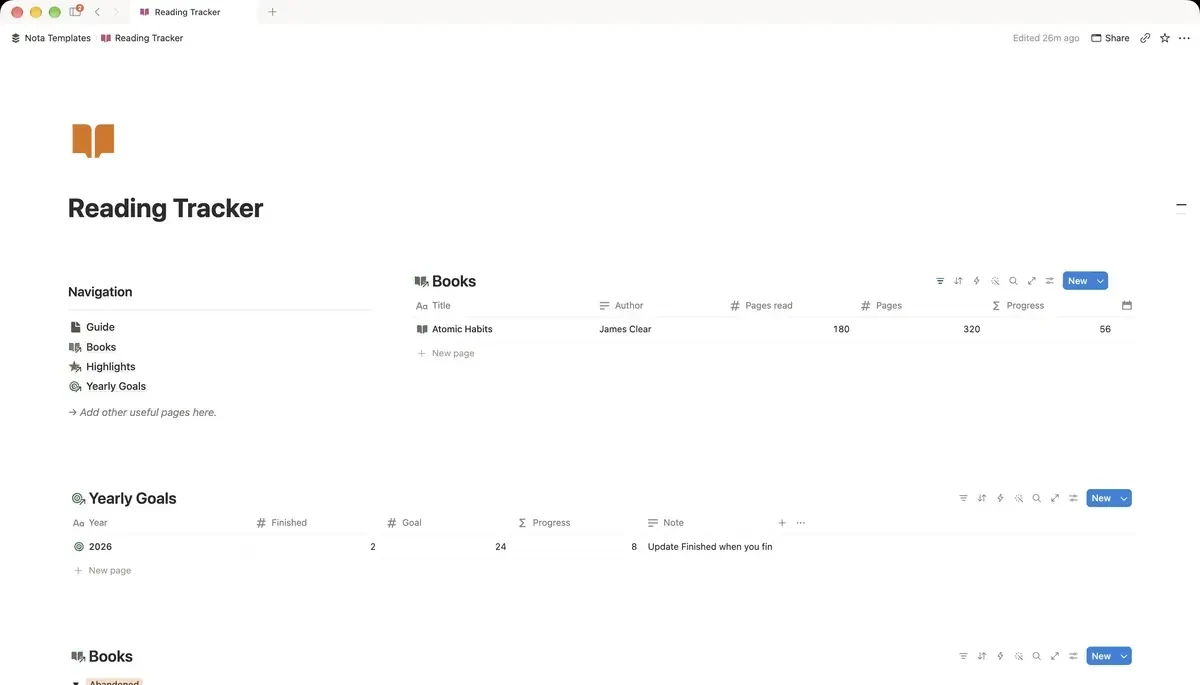
A gallery of everything you've read, are reading, or want to read. Log highlights, rate books and track a yearly reading goal.
What's inside
- Bookshelf gallery by status
- Progress from pages read
- Highlights linked to each book
- Yearly reading goal
How it works
- 1Complete checkout and open the link in your email.
- 2Click “Duplicate” in the top-right corner of the Notion page.
- 3The template is now in your workspace. Make it yours.
Who it's for
For readers who finish a book, feel it was good, and six months later cannot say why. The shelf shows what you have read, are reading and want to read next. Highlights attach to the book they came from, so the part worth keeping outlives the reading.
Your first week
- 1Add the books you have read this year. Do it from memory — it does not need to be complete.
- 2Add what you are reading now and set the page count so progress can calculate itself.
- 3Set a yearly goal. A number you would be glad to hit, not one you would be ashamed to miss.
- 4When a line stops you, add it as a highlight against that book. That is the habit worth building.
What it doesn't do
There is no Goodreads or Kindle import. Notion cannot pull your highlights automatically, so books and quotes are added by hand — which is slower, and also why people remember what they typed.
Questions
Can I import my Kindle highlights?+
Not automatically. You can paste them into the highlights database, but there is no sync — Notion has no connection to Kindle.
How does reading progress work?+
You enter the total pages once and update the current page as you go. The percentage is calculated from those two numbers.
Does it track audiobooks?+
Yes, if you treat minutes or chapters as pages. The progress calculation does not care what the unit is.