About this template
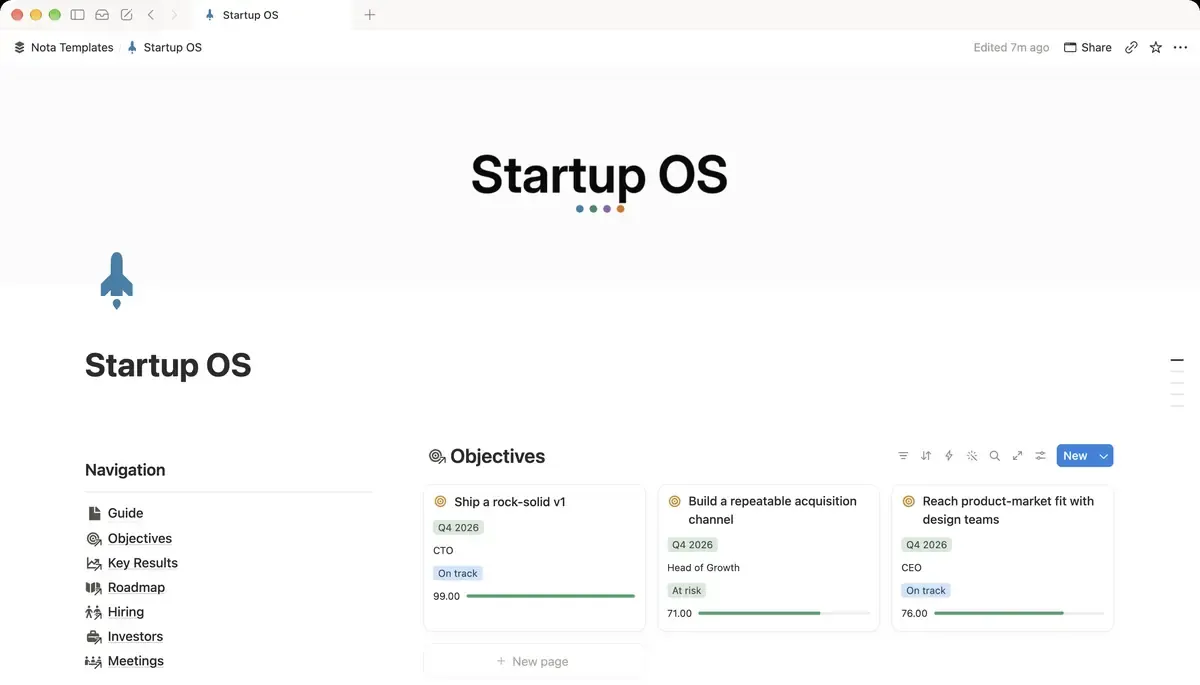
The operating system for early-stage teams. Align on OKRs, ship the roadmap, track hiring and keep investor updates in one shared workspace.
What's inside
- 6 linked databases
- OKRs with averaged progress
- Roadmap board and timeline
- Hiring pipeline by stage
- Investor CRM with cheque size
- OKR table with progress bars
How it works
- 1Complete checkout and open the link in your email.
- 2Click “Duplicate” in the top-right corner of the Notion page.
- 3The template is now in your workspace. Make it yours.
Who it's for
For a founding team of two to ten that has outgrown a shared doc. Objectives, the roadmap, hiring and investors usually live in four different tools and drift apart within a month. This holds them in one workspace where the roadmap is visibly attached to the objective it serves, and OKR progress averages up from the key results instead of being guessed at in a meeting.
Your first week
- 1Write three objectives for the quarter. Three is already ambitious; five is a wish list.
- 2Give each objective its key results with a number attached. The averaged progress only means something if the results are measurable.
- 3Put the roadmap items on the board and link each to the objective it serves. Anything that links to nothing is a candidate for deletion.
- 4Add your open roles and your investor conversations. Both are easier to keep warm when they are in the same place you already look.
What it doesn't do
This is not a replacement for a proper issue tracker. There are no sprints, story points or code integrations — it works at the level of a roadmap item, not a ticket. It also does not replace a cap table.
Questions
How do the OKRs calculate progress?+
Each key result carries its own progress, and the objective averages them. Update the key results and the objective follows on its own.
Does it work for a solo founder?+
Yes, though you will use less of it. The hiring pipeline and investor CRM matter most once you are raising or growing the team.
Can the whole team edit it?+
Yes, by sharing the page in your Notion workspace. Note that Notion's free plan limits collaborators, so a team will likely need a paid Notion plan — the template itself does not require one.