About this template
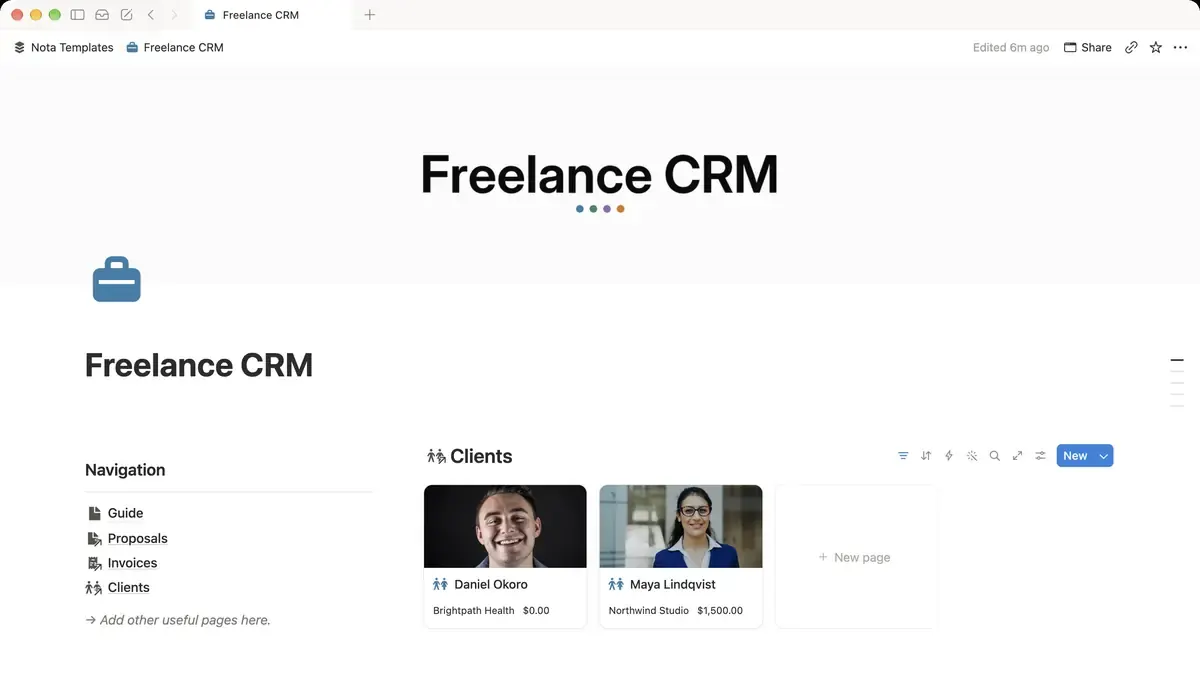
Run your freelance business from a single page. Track leads through your pipeline, manage projects per client and never forget an unpaid invoice.
What's inside
- 5 linked databases
- Deal pipeline board with values
- Rate times hours, totalled
- Invoices flag themselves overdue
- Billed total per client
- Project timeline and deal pipeline
How it works
- 1Complete checkout and open the link in your email.
- 2Click “Duplicate” in the top-right corner of the Notion page.
- 3The template is now in your workspace. Make it yours.
Who it's for
For freelancers past the point where a spreadsheet works. If you are juggling four clients, chasing two invoices and half-remembering a lead from last month, this holds all of it in one place. Leads move along a pipeline, projects sit under the client they belong to, and unpaid invoices stop being something you discover by accident.
Your first week
- 1Add your current clients first, then the projects under each one.
- 2Enter every open invoice, paid or not. The overdue flag only works once the system knows what exists.
- 3Put your leads on the pipeline board with a value against each. Seeing the total is usually a surprise.
- 4Check the pipeline once a week. That single habit is what turns a CRM from a database into a business tool.
What it doesn't do
It does not send invoices or take payments. Notion cannot generate a PDF invoice or charge a card — this tracks what you have billed and what is outstanding, while the sending still happens in your invoicing tool or email.
Questions
Does it create invoices?+
No. It records them: amount, client, due date, and whether they are paid. Issuing the actual document stays with whatever you use now.
How does the overdue flag work?+
A formula compares the due date with today and marks anything unpaid and past due. Nothing to maintain — it updates itself when you open the page.
Can I track hourly and fixed-price work together?+
Yes. Rate times hours totals automatically for hourly projects, and you can enter a flat amount for fixed-price ones.