About this template
Plan a week of meals in minutes. Pick recipes from your library, drop them onto the weekly board, and keep the grocery list grouped by aisle.
What's inside
- Recipe library with tags
- Week board, a slot per meal
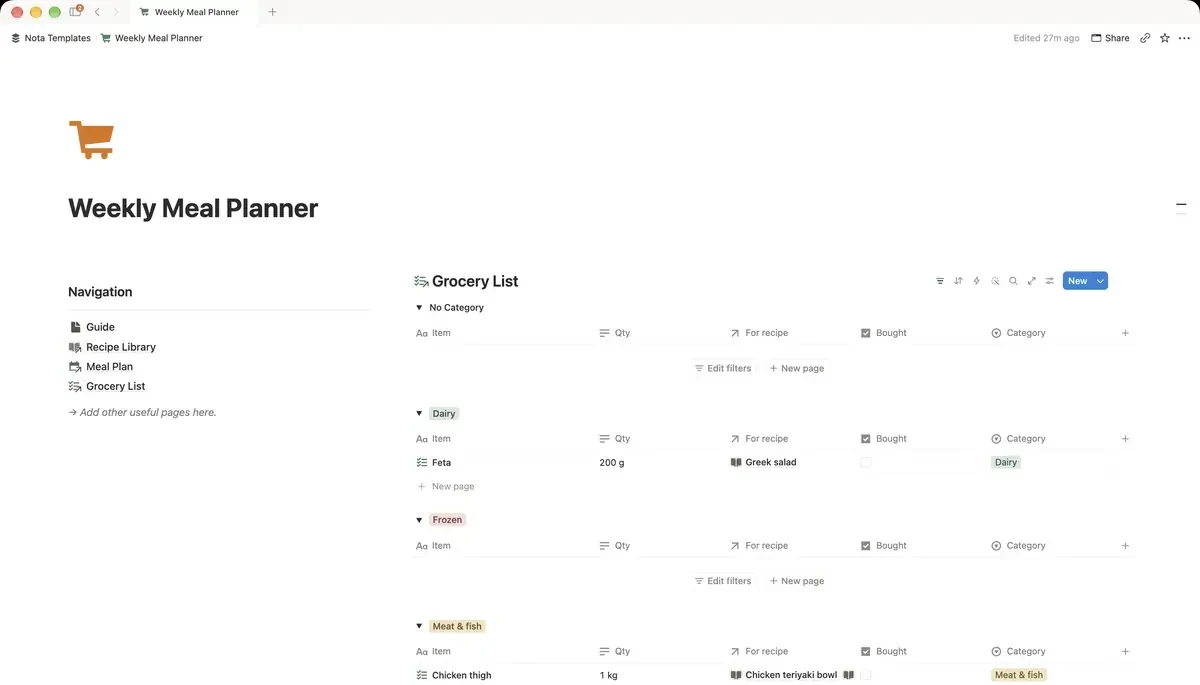
- Grocery list grouped by aisle
- Calories and time added up
How it works
- 1Complete checkout and open the link in your email.
- 2Click “Duplicate” in the top-right corner of the Notion page.
- 3The template is now in your workspace. Make it yours.
Who it's for
For anyone who decides what is for dinner while standing in the kitchen at seven in the evening. Build a library of meals you actually cook, drop them onto the week, and the grocery list follows. The point is not gourmet planning — it is removing one decision from every weekday.
Your first week
- 1Add ten meals you already cook. Not aspirational ones. The library only helps if you would genuinely make these on a Tuesday.
- 2Fill the week board, one slot per meal. Leave a night empty on purpose.
- 3Build the grocery list from what you planned. It groups by aisle, which is what makes a shop fast.
- 4Next week, reuse the meals that worked. Most households rotate about fifteen dinners.
What it doesn't do
The grocery list does not fill itself from the recipes. Notion cannot add up ingredients across meals on its own, so you tick what you need — the grouping by aisle is the part that saves time, not automation.
Questions
Does it build the shopping list automatically?+
No. You add items to the list, and it groups them by aisle so the shop goes in one direction instead of four.
Can I plan for a family?+
Yes. Most people scale by noting servings on the recipe rather than duplicating meals.
Does it count calories?+
It totals calories and cooking time from whatever you enter on each recipe. It does not look nutrition data up for you.